
Tracking the Comet: A Developer's Guide to Gemini CLI's Evolution
Blink and you might miss it! The Gemini CLI is evolving at a dizzying pace. This guide is your essential map for tracking every update and staying ahead of the curve.

Gemini CLI is evolving at a breakneck pace, with new features and improvements released almost daily. For developers, this is exciting, but it also makes keeping up a real challenge.
This post is your guide to navigating the constant stream of updates and staying at the forefront of what's possible with Gemini CLI.

The Official Channels
When you want the most accurate and timely information, it's always best to go directly to the source. Here are the official channels you should monitor.
1. GitHub Releases
The most direct way to track changes is by watching the GitHub Releases page. This is where every single change is documented.
You'll notice two types of releases:
Stable Releases (e.g.,
v0.1.18): These are the official, production-ready versions that follow thev<major>.<minor>.<patch>semantic versioning format. If you prefer stability over having the absolute latest features, this is what you should be using.Nightly Releases (e.g.,
v0.1.17-nightly.250806.805114ae): As the name suggests, these are built every night. They follow the formatv<major>.<minor>.<patch>-nightly.<date>.<commit-hash>and contain the latest code. They are a great way to preview upcoming features, but they may also have occasional bugs.
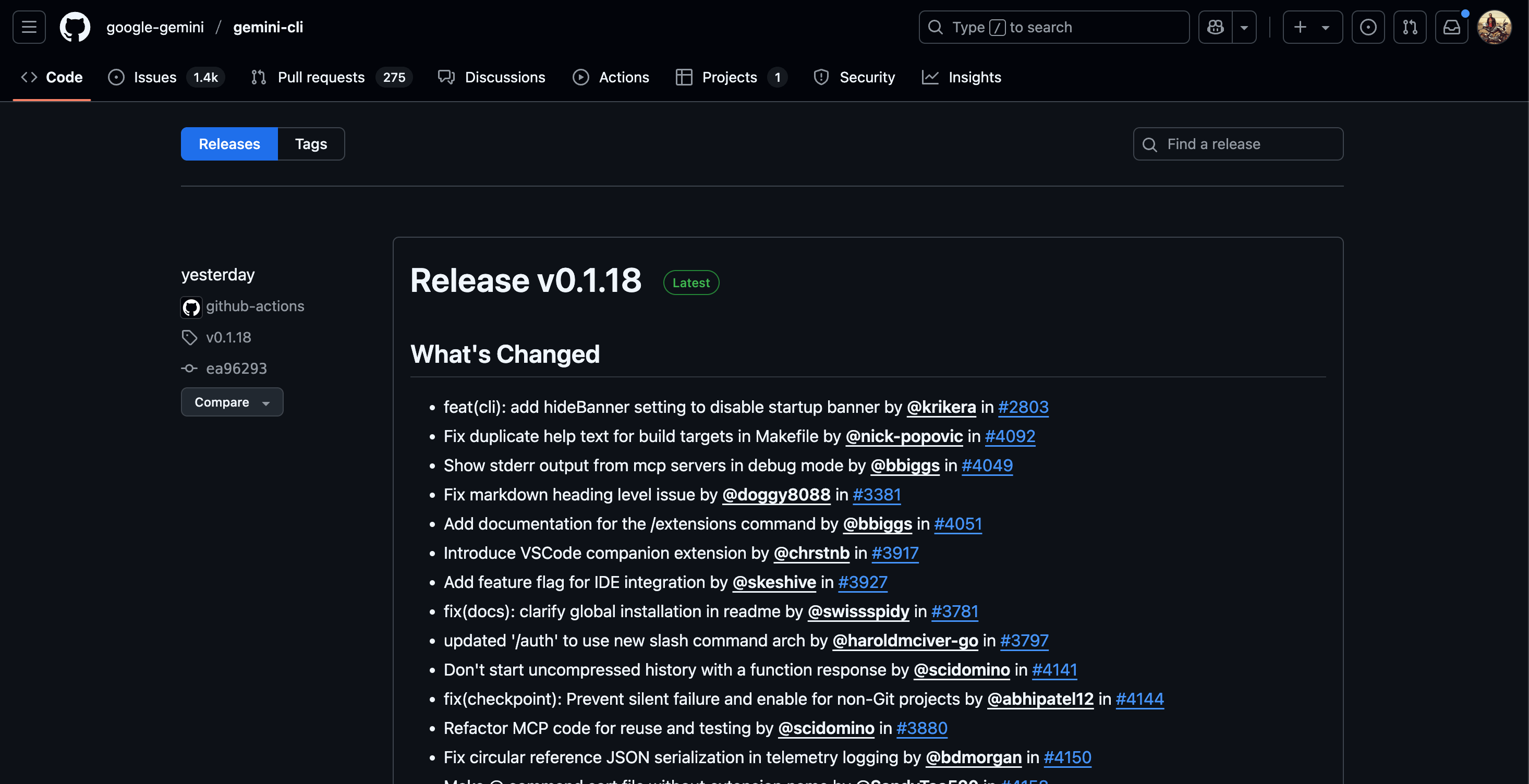
The release notes use conventional commit messages, making it easy to scan and understand the nature of the changes. You'll see prefixes like:
feat:for new features.fix:for bug fixes.docs:for documentation updates.perf:for performance improvements.refactor:for code changes that don't alter behavior.chore:for routine maintenance.
This structured approach provides a clear and transparent view into the project's development.
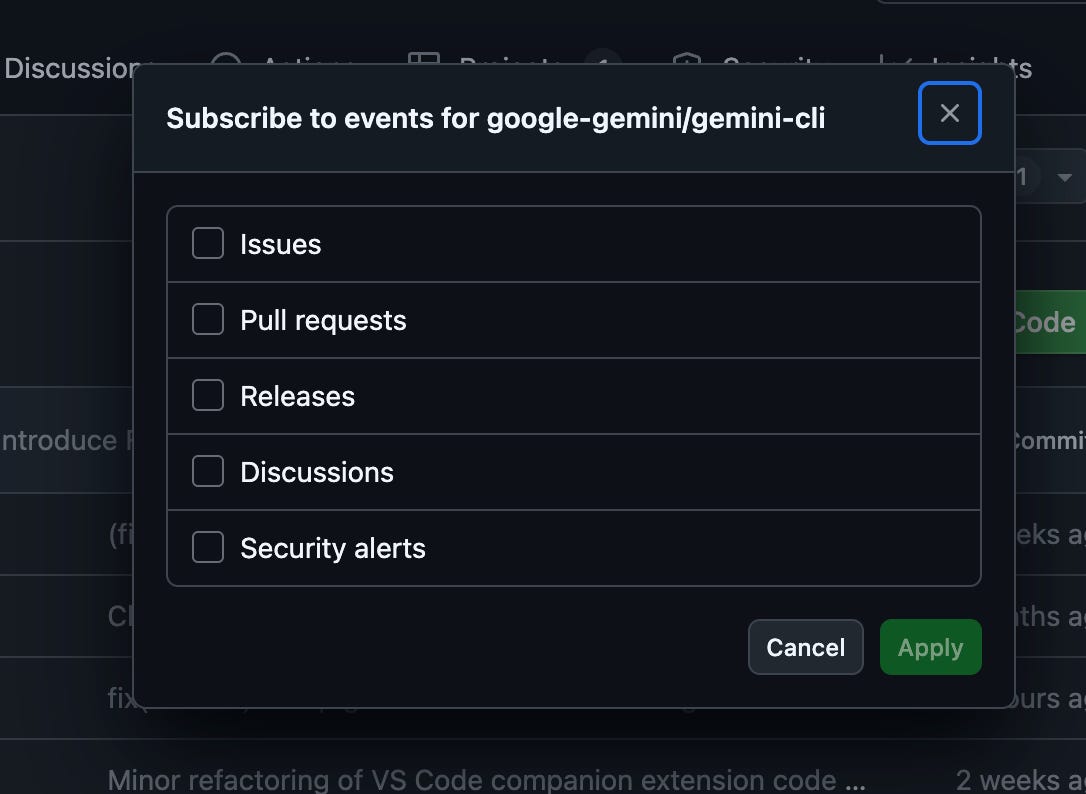
Actionable Tip: On the top-right of the GitHub repository page, click the "Watch" button and select "Releases only" to get notified whenever a new version is published.
2. Official Google Blogs
For major announcements, keep an eye on the official Google blogs. While you won't find daily updates here, this is where Google announces significant new capabilities and the overall vision for the product.
The Google for Developers Blog is a key resource. For example, the announcement of the Gemini CLI GitHub Action was posted here.
The Google Cloud Blog is another important channel, especially for news about integrations with services like Vertex AI and Gemini Code Assist.
Where the Community Comes to Talk
Beyond the official announcements, the developer community is where you'll find rich tutorials, practical use cases, and insightful discussions.
Key Voices and Platforms
Many Google engineers and community experts share their knowledge on personal blogs and platforms like Medium, Dev.to, and Substack. These articles often provide a more in-depth look at new features than the release notes.
Here are a few key authors and resources to get you started:
Richard Seroter (seroter.com): Richard offers deep technical insights on his blog. His post on how the Gemini CLI might change his work is a great example. His daily reading list is also a fantastic resource for staying current on all things cloud and AI.
Romin (Medium): Has written several excellent articles on Gemini CLI, from getting started guides to deep dives on specific features. His list of resources is a great starting point for finding other community writers.
Prashanth (Medium): Another prolific writer who shares valuable insights and tutorials on Gemini CLI.
Philipp (philschmid.de): Offers a fantastic "Google Gemini CLI Cheatsheet" and other technical articles.
AI Positive (aipositive.substack.com): This blog also features content and analysis on Gemini CLI developments.
This is by no means an exhaustive list. A quick search on your favorite blogging platform will reveal a wide range of voices and perspectives.
Reddit: Real-time Community Discussion
For more immediate, community-driven conversations, Reddit is an invaluable resource.
r/Bard: This is the largest and most active community for all things Gemini (the successor to Bard). You'll find a mix of general Gemini news, creative use cases, and technical discussions that often touch on the CLI.
r/GeminiCLI: A smaller, more focused community dedicated specifically to the Gemini CLI.
AMAs on Reddit:
The Gemini CLI team has also been known to host AMAs on Reddit, giving you a direct line to the developers. These sessions are goldmines of information, offering insights you won't find anywhere else.
In a recent AMA on r/Bard, the team answered questions about:
Why TypeScript? They chose TypeScript over Go or Rust for its portability, especially for embedding in other applications like VS Code.
The Free Tier: While they couldn't make promises, their goal is to keep the tool as accessible as possible.
Privacy: You can opt out of data sharing with the
/privacycommand.What's Next: The team is excited about upcoming features like background agents, voice mode, and improved context management.
Keep an eye on the subreddits mentioned above for announcements about future AMAs. They are an invaluable opportunity to engage with the team and get your questions answered.
Following the Leaders
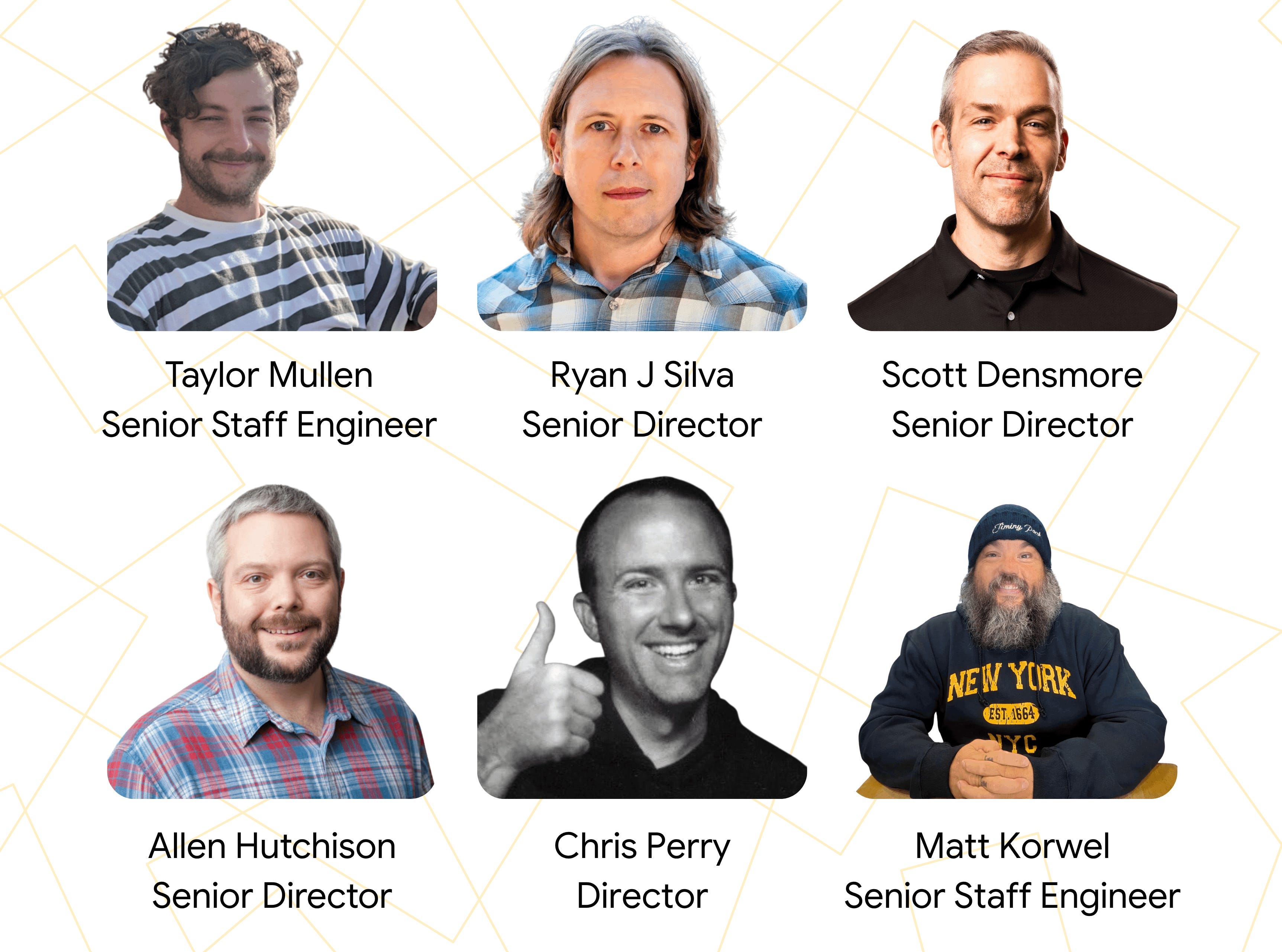
Another great way to stay informed is to follow the key leaders at Google who are driving the vision and development of Gemini and its related developer tools. Here are a few to get you started:
Ryan Salva: LinkedIn
Richard Seroter: LinkedIn
Taylor Mullen: LinkedIn
Scott Densmore: LinkedIn
Allen Hutchison: LinkedIn
Chris Perry: LinkedIn
Matt Korwel: LinkedIn
Bryan Morgan: LinkedIn
Jerop Kipruto: LinkedIn
Philipp Schmid: LinkedIn
Jack Wotherspoon: LinkedIn
A Welcome Challenge
The rapid pace of Gemini CLI's development is a reflection of the exciting times we live in. It's a powerful tool that's only going to get better. By using the resources in this guide, you can stay informed, get inspired, and make the most of this cutting-edge technology.
Try this hands-on lab if you are new to Gemini CLI. Also, ICYMI, my linkedin!